
Your saree photo is the foundation of your AI draping preview. A clear, well-cropped image helps the AI preserve the original fabric, colours, prints, and border details more accurately.
Follow these simple guidelines before uploading your saree.
1. Start with the right photo
Your fabric should be the star of the image.
- Capture the saree fabric from directly above or straight-on.
- Keep the fabric flat or hanging naturally, without excessive folds.
- Include the complete visible design, including the borders and pallu.
- Keep the camera parallel to the fabric to minimise distortion.
- Use a clear, high-resolution original photograph.
Avoid: floors, furniture, hands, feet, hangers, other garments, and unnecessary objects in the frame.
2. Keep colours and patterns accurate
Your uploaded image is the primary reference for the final drape.
- Use soft, even lighting to reveal the real fabric colours.
- Avoid harsh shadows, flash glare, and strong reflections.
- Do not apply filters or artificial colour adjustments.
- Make sure intricate prints, embroidery, and woven borders are clearly visible.
Tip: Photograph the saree in natural daylight whenever possible.
3. Crop before uploading
Remove everything that does not belong to the saree. Keep the fabric edges, body pattern, and decorative borders visible.
You can crop your image before uploading or use the Edit option in the app to adjust it.
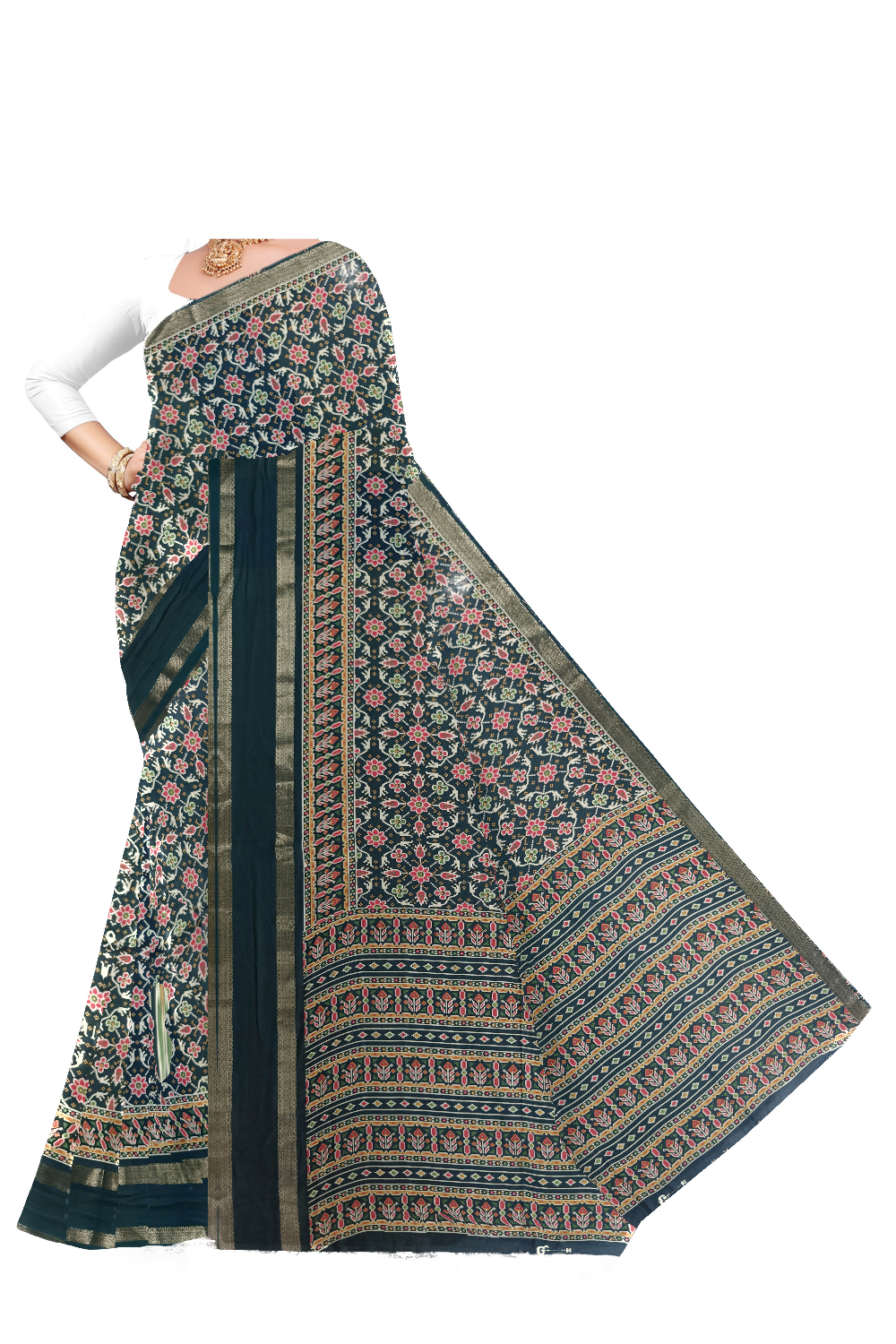
Example 1 — See the draping preview
AI Drape Preview: A fabric-focused reference helps create a cleaner, more consistent draping guide.
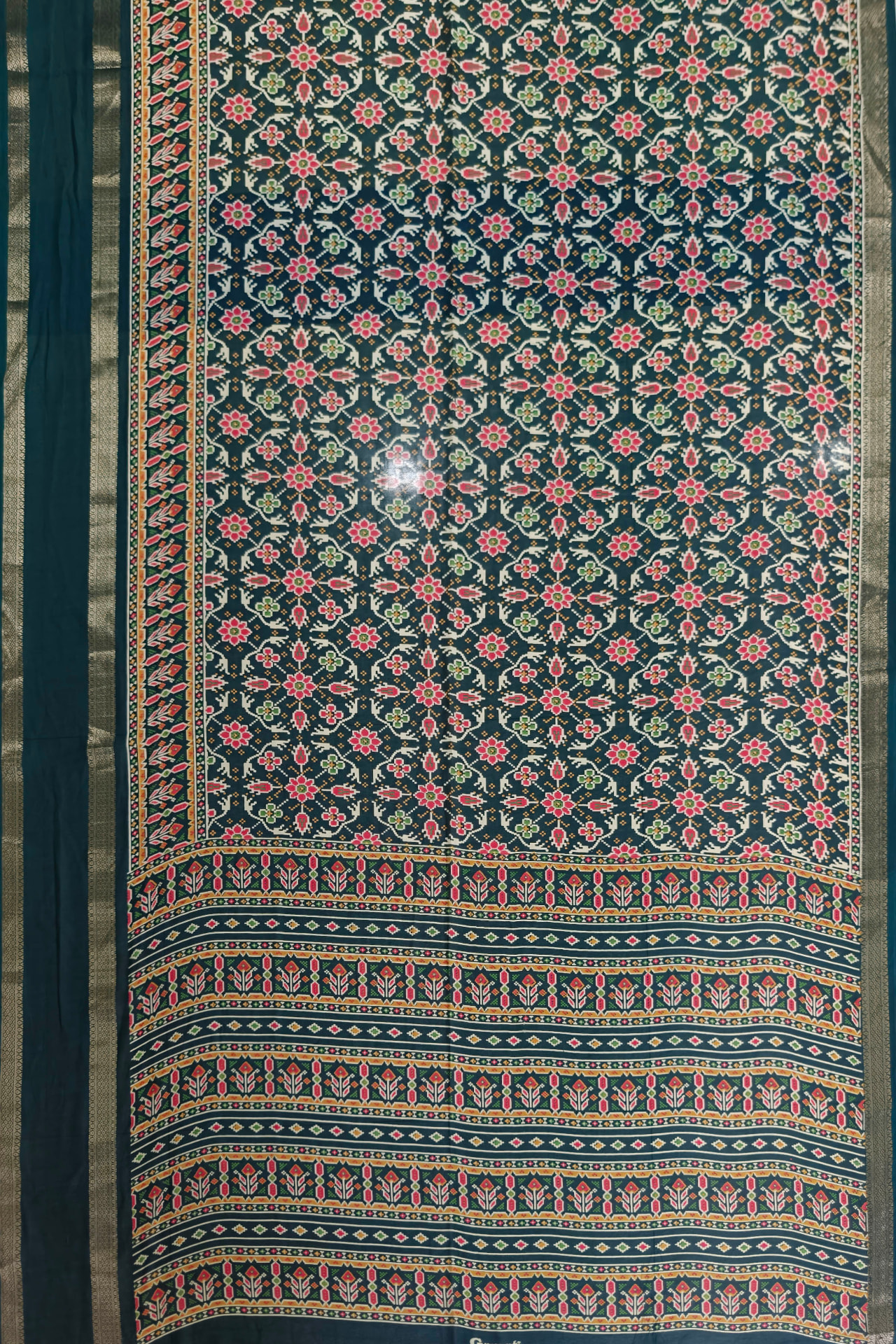
Example 2 — Prepare your fabric photo
Ideal source image: The saree fills the frame, with its original colours, repeating motifs, and complete decorative borders clearly visible.
4. Why cropping matters for AI draping
AI uses the uploaded photograph to understand the saree’s pattern and fabric layout. If unrelated objects or background areas are included, they may be mistaken for parts of the textile.
A carefully cropped image helps reduce:
- Unwanted pale or blank patches in the drape.
- Background textures appearing on the saree.
- Distortion around the borders and pallu.
- Inconsistent reproduction of the original print.
Remember: Better input photos improve the chances of a more accurate preview, although the result may still vary.
5. Before you upload
Use this quick checklist:
- Saree fabric is clearly visible.
- Unwanted background objects are removed.
- Original colours are visible under even lighting.
- Main motifs, borders, and pallu are included.
- Image is sharp, high-resolution, and not heavily filtered.
- Photo is an original fabric photograph, not an AI-generated output.
Ready to create your preview?
Prepare your saree photo, upload it, and generate your AI Drape Preview. A clean reference is the first step towards a beautiful catalogue result.
Upload Saree Photo